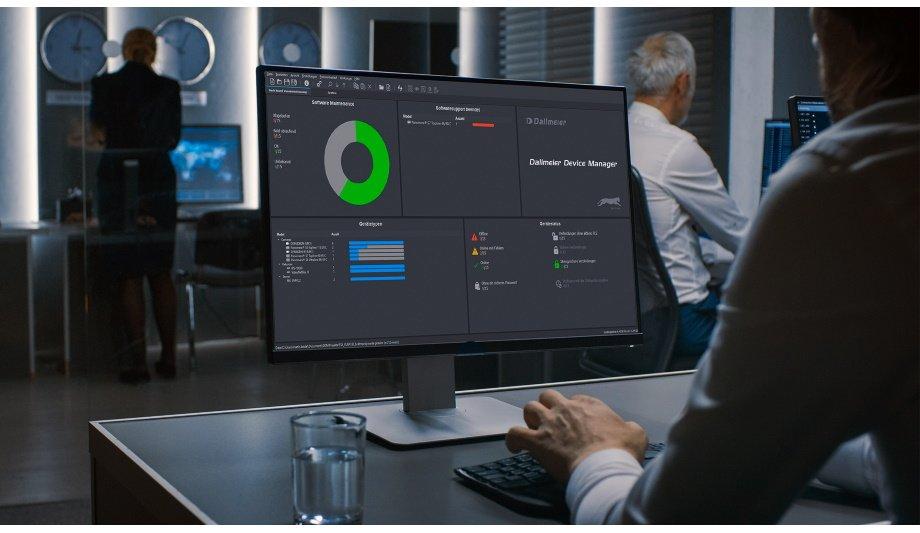

German video technology manufacturer, Dallmeier presents the ‘Dallmeier Device Manager’, a tool for conveniently configuring and administering Dallmeier video IP systems. With this successor to the popular ‘PService’ software, installers and system managers can also quickly and easily encrypt a wide range of Dallmeier video systems, with TLS certificates and apply other security means.
Installers and system administrators are familiar with the challenge only too well. Providing encryption for the connections of a video security system is a complex, time-consuming task. Expert technical skills are required, particularly when large network and system landscapes are involved. The new Dallmeier Device Manager tool makes configuring security much more convenient.
Encryption in six easy steps
In addition to all device management tasks, the recently unveiled Dallmeier Device Manager (DDM) makes it possible to conveniently encrypt a Dallmeier video system with TLS (Transport Layer Security) certificates.
Accordingly, system administrators can provide the Dallmeier devices with the necessary certificates from a single central user interface. It is even possible to encrypt access via mobile end devices. In this way, DDM users further increase the protection for their Dallmeier video systems and can meet their individual security requirements. On its homepage, the manufacturer offers a configuration document, which explains how to implement TLS encryption in six easy steps.
Dallmeier Device Manager (DDM)
The Dallmeier Device Manager further features a dashboard, which displays the most important data, regarding hardware and security status, licensing arrangements and the software version.
To make this device data available, the software automatically scans the entire video network TCP/UDP for Dallmeier single sensor cameras, multifocal sensor cameras and recording systems. A scan for ONVIF-compatible devices is also possible.
Dashboard: The critical data always in view
The DDM can also be used to change many settings and the IP addresses of the connected Dallmeier devices
The DDM can also be used to change many settings and the IP addresses of the connected Dallmeier devices, open configuration dialogues directly and create wide-ranging reports for optimization and maintenance. To improve system security further still, when they run the software for the first time, system operators are instructed to assign strong passwords for access to the individual devices.
Additionally, the system informs the user about current software updates and software maintenance licenses that are due to expire. Devices with the same software version can be updated together in a single step via the DDM.
Full system continuity to the VMS
As soon as the connected devices have been stored in the DDM, they can easily be transferred to the Dallmeier Video Management Software, SeMSy Compact, together with the corresponding configuration files, using the multiple selections and drag-and-drop functions.
The cameras are ready for use immediately after this operation and there is no need to log onto the VMS again.

- Network / IP
- IP video surveillance
- Electronic security systems
- Application security
- Security management
- Security policy
- Security devices
- Security installation
- Security cameras
- Covert cameras
- Security camera systems
- Security monitoring system
- Network monitoring
- Building security
- Facility security
- Network cameras
- Security software
- IP Surveillance
- Security service
- ONVIF
- IP security solutions
- Covert Surveillance
- Security communication
- Integration software
- Cyber security
- Video Management System
- Incident Management
- Video surveillance