AxxonSoft is proud to present version 3.1 of the Axxon Next video management software (VMS). Many new features have been added to Axxon Next 3.1, making workflows more efficient, improving ease of use, reducing server and client resource use, and slimming the bandwidth footprint.
New in version 3.1:
- The Green Stream feature automatically chooses the displayed video stream from a camera, depending on the resolution at which the video is currently displayed on the client. A "lighter" stream saves bandwidth and client CPU resources.
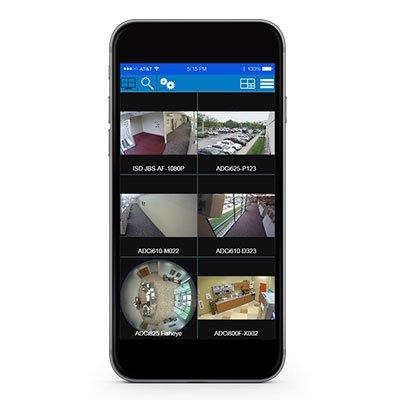
- Support for fisheye cameras and ImmerVision lenses allow dewarping video from a fisheye camera or a camera with an ImmerVision panomorphic lens to obtain several "normal" flat images with different frame aspect ratios for display on the client screen. Dewarping is performed on the graphics card, without any additional burden on the CPU of the client computer.
- Custom layout editing mode allows creating camera layouts of any arrangement on the screen. Viewing tiles can have varying aspect ratios as well. This is an efficient way of simultaneously fitting cameras on screen with aspect ratios of 3:4, 16:9, etc., and working with dewarped fisheye images.
- Map immersion mode opens up new opportunities for viewing video. When enabled, this mode overlays a translucent video viewing tile on the map; fixed objects in the frame (furniture, doors, etc.) are combined with their depictions on the map. Immersion mode makes surveillance interactive and allows visually correlating the in-frame movement of objects with their movements in real space.
- Autozoom helps to monitor moving objects by automatically adjusting the level of digital zoom. Autozoom shows close-in video for part of the frame that contains a moving object and follows the object as it moves, just as a movie camera does when filming a close-up shot.
- The redesigned Automatic Rules Configuration interface offers a more convenient way of setting rules (scripts) for reacting to events; in addition, rules can now be set more flexibly. An unlimited number of reaction rules can be set for a single event.
- Exported video fragments and snapshots are now automatically digitally hashed. An included utility allows authenticating the digital hash watermark of previously exported video and snapshots. This pair of features allows verifying the authenticity of video exported from Axxon Next. Besides, you can now leave text comments for exported video; when the video is played back, the comments are shown as captions.
- Automatic export of snapshots allows saving snapshots of video in .jpeg format to a selected folder when the snapshot feature is used during Live Video mode. Snapshots are digitally hashed.