Vanderbilt Security access systems

VCredential Phase II Launched By Vanderbilt

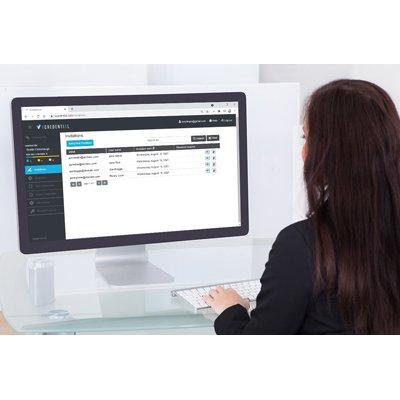
Vanderbilt recently launched the latest updates to VCredential, their cloud-based credential management platform that offers users the ability to create and manage Bluetooth credentials independent of the access control platform. What is VCredential? VCredential  represents Bluetooth access control technology that is easy to use, simple to navigate, and offers the added benefit of mobility for users. Originally launched in September 2020, VCredential was developed in response to the growing trend of virtualization, a shift in the market to touchless door access, and the ever-evolving landscape of added security threats. Now, 10 months on from that first release, VCredential has been developed further. The key feature of this new release is the simplification of the authorization process that allows customers to use a Bluetooth credential. What’s New? VCredential was proving such an intriguing option for customers that this latest release now means that the process of creating and managing Bluetooth credentials is even faster. The process has been reduced to a simple two-step program now. Admin sends out an email invitation to the user. This email contains instructions for the user on downloading the VI Mobile ID app alongside a 6-digit alphanumeric activation code. The end-user downloads the VI Mobile ID Bluetooth app enters the activation code. The credential is now ready for use. It is as simple as that.  Why Use VCredential? All the original benefits of VCredential still remain. Smartphone credentials are time and cost-effective alternatives to managing physical credentials that enable mobile phones to be used just like a traditional access control card or tag. The addition of mobile credential functionality is critical in today’s threat landscape as more users demand touch-free flexibility and a streamlined approach to visitor management and access control. VCredential is a one-off license purchase as opposed to a subscription-based model that would include annual charges per virtual credential. With this latest version, now credentials on lost, stolen, or old phones can be deactivated and transferred over to a customer’s new device meaning there are truly no hidden or extra costs, allowing for big savings in the long-term. Greater Control Moreover, thanks to additional integration functions, the creation, and management of Bluetooth credentials can now be carried out directly by the administrator within ACTpro and SiPass integrated systems for easier management and greater control. Meanwhile, the integration with the award-winning ACTpro reduces the workload on the operator by automating the issuing of Bluetooth credentials to cardholders from within the ACTpro software. It also enables the customer to manage credential allocation through this single interface.

ACT 5 & ACT 10 Digital Keypads & ACT 5prox (with Proximity) Offer Low-cost Access Control Solutions For Standalone Doors / Gates

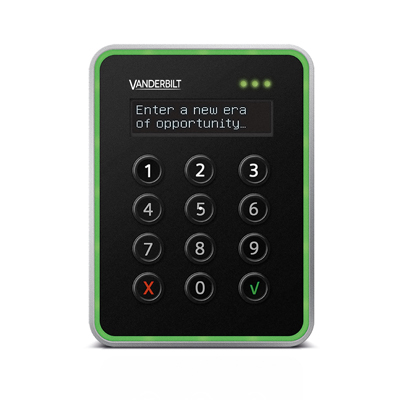
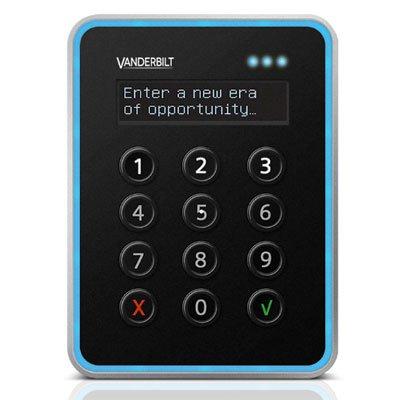
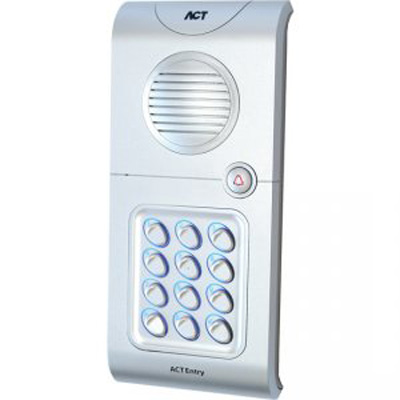
The ACT standalone range comprises the ACT 5 and ACT 10 digital keypads and the ACT 5prox digital keypad + proximity. They provide access control for standalone doors or gates where the only requirements are entry and exit. Easy to install and configure they offer a low cost access control solution for both domestic and commercial properties.  ApplicationsAccess controlGate entryDoor monitoringInterlock applicationsSuitable for internal and external doors in both domestic and commercial properties.  ACT 5prox digital keypad + proximity featuresProximity, PIN and proximity or PIN only50 users with unique pin codes and / or ACTProx cards. Users can be deleted if a card is lost or a pin code forgottenPush to exit inputIncorrect code lockoutToggle mode5 amp, 30 Volt DC relay Polycarbonate housing with stainless steel keysKeypad backlightingPotted electronicsIndoor / outdoor (IP67)Surface / flush mount optionsMounts on to standard single gang electrical back boxACT 5 digital keypad featuresPIN only version of the ACT 5proxACT 10 digital keypad featuresPIN only10 user codes2 user groupsPush to exit inputIncorrect code lockoutDoor monitoring / contact inputTamper outputFire alarm overrideInterlockToggle mode12 - 24 Volt AC / DC supply2 x 5 amp, 30 Volt DC relays2 x 100 mA Darlington Driver outputsZinc diecast housing, stainless steel keysKeypad backlightingIndoor / outdoor (IP54) Surface / flush mount options

ACTpro Updates To Version 2.14

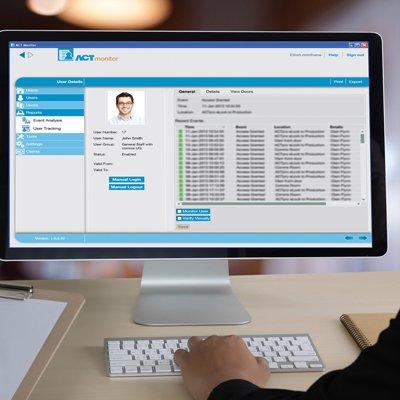
ACTpro is the company’s award-winning access control software that has a wealth of features and integrations. The latest additions in version 2.14 include extended integration with KONE and new video integration with Hanwha. The software has also added contact traceability reporting to its suite of tools. For instance, thanks to contact traceability reporting, users of ACTpro can now successfully track potentially close contact cases within their building, including doors they may have interacted with.  Commenting on the new feature, Alex Holmström, Global Sales Director at Vanderbilt, states: “This feature will help businesses create a safer and cleaner environment for their staff. System users can now remotely monitor their office from anywhere in the world, including tracking international travelers to their site.” ACTpro 2.14 also sees additional benefits added to the software’s existing integration with KONE. By supporting KONE's latest API calls, it allows for a much faster install time compared with traditional hardwired input and outputs. Instead, ACTpro and KONE software communicate at an API level. This optimizes the KONE system by having an efficient throughput within the building. Michael Moyna, Senior Product Manager at Vanderbilt, explains in more detail: “The benefits of KONE integration are twofold. It makes the installation and integration of KONE and ACT much more straightforward because there is no cabling required as with traditional hardwired elevator control since the ACT software talks directly to the KONE server via the KONE API.  “The big benefit, certainly for large buildings, is that it allows for a large increase in footfall through the elevator system. This means you can prioritize elevators and make them work efficiently. For example, during morning rush hour, the elevator can be configured for optimal utilization to ensure effective throughput.” Lastly, a new release in this version is video integration with Hanwha’s Wisenet WAVE system and Dahua. These video additions complement an already rich set of integrations that include Milestones 3XLogic and Hikvision. ACTpro users can play live video or recorded video associated with a door through these video integrations. Moyna expands on the value of this: “If an event happened last week where a door was forced open, the operator can right-click on the event in ACTpro and simply replay the video recording from the Hanwha Wisenet WAVE system. “This makes for a more precise examination of the video system concerning the access control event. It also removes the operator's need to visit the control room to retrieve the footage as it can be viewed directly within ACTpro instead. This, of course, delivers an added layer of convenience to the system’s users,” he concludes. Please note: The new contact traceability report and integrations with Hanwha and Dahua are part of ACTpro. However, the KONE integration requires an additional license from Vanderbilt.