DNAKE - Experts & Thought Leaders



White papers from DNAKE
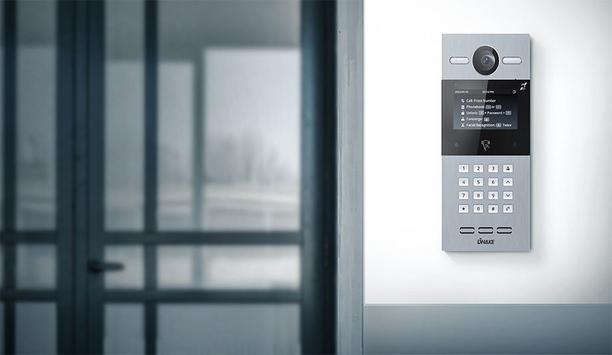
A Step-By-Step Checklist for Choosing an Intercom System
DownloadLatest DNAKE news & announcements
Technology is changing the way we experience our living and working spaces. KNX has become a flexible, globally adopted standard for building automation, helping streamline everything from smart lighting to HVAC management. Within the KNX ecosystem, DNAKE offers a distinct advantage: the ability to control both your intercom system and home automation together through one cloud-based app – the DNAKE Smart Pro App. In this article, we’ll explore the key benefits of KNX and why DNAKE’s KNX product range is a solid choice for residential and commercial projects. What Is KNX and how does it work? KNX is an open protocol for building automation, recognized with CE certification and widely accepted in global markets. It allows various devices and systems — including lighting, heating, ventilation, and security — to be wired together into a single, cohesive platform. KNX relies on a decentralized communication model. Sensors, actuators, and other devices talk directly to each other over a shared BUS. This distributed design makes KNX highly reliable, easily scalable, and suitable for buildings of any size, from small offices to large commercial complexes. Thanks to its CE marking and adherence to international standards, KNX remains one of the most durable and future‑proof automation systems available. The advantage of DNAKE KNX Solutions Unlike most KNX vendors that focus solely on indoor automation, DNAKE combines smart home control with powerful access management. With the DNAKE KNX gateway module, you can manage both your intercom and KNX smart home automation through the DNAKE Smart Pro App and cloud platform – simplifying daily use while strengthening security. Thanks to its background in video intercom and access control, DNAKE offers a unified cloud platform (DNAKE CLOUD) that handles everything from KNX lighting, blinds, HVAC, and scenes to cloud‑based video intercom – so you can see, talk to, and remotely unlock the door for visitors whether you are at home or away. All of this is managed through the DNAKE Smart Pro App: one app, one cloud account, one seamless experience. This integration is a major differentiator for large residential communities and high‑end commercial projects. Comprehensive KNX capabilities Like any standard KNX system, DNAKE supports broad interoperability with RS485 devices (via a converter) and offers fine‑grained comfort control: personalized lighting scenes, automated blinds based on weather, and intelligent temperature scheduling. These features are well‑known in the KNX world, so we won’t repeat them at length here. What truly sets DNAKE apart is the community‑wide connectivity described above. Conclusion DNAKE KNX solutions bring together seamless intercom integration, a unique community‑to‑home cloud platform, and all the proven benefits of KNX into one easy‑to‑manage system. These advantages make DNAKE KNX a future‑ready choice for any residential or commercial project – especially those that demand a unified experience from the community gate all the way to the bedroom. If you are considering KNX for your next project, DNAKE can help you create a tailored solution that addresses today’s requirements and grows with your future needs.
DNAKE, a foremost provider of video intercom and smart home solutions, has rolled out Cloud Platform versions 2.1.0, 2.2.0, and 2.3.0. Designed to deliver more control, flexibility, and possibilities, these updates strengthen team collaboration, expand device integration, and simplify resident access. Key highlights of DNAKE Cloud Platform 2.1.0–2.3.0 1. Multiple Property Manager Accounts with Custom Permissions A single site now supports multiple property manager accounts, each with customizable access and management permissions. Team members get their own logins, eliminating the need to share a master account. 2. Two-Factor Authentication (2FA) Adds an extra layer of security to every login. Even if a password is compromised, login attempts cannot proceed without the verification code sent to the registered email address. 3. Call and Unlock Permissions by Apartment Configure which apartments can call or unlock specific devices at the apartment level. This is particularly useful for shared access points such as parking gate stations that require restricted resident access. 4. Remote Emergency Exit Control Pre-configure emergency exit groups and unlock them remotely from the cloud with one tap, helping improve emergency response efficiency. 5. QR Code Self-Registration for Residents Generate QR codes directly from the cloud — no indoor monitor required. Residents simply scan the code to complete the registration process themselves, eliminating manual setup and email-based onboarding. 6. Elevator Control Integration Connect elevator control modules directly to the cloud. A single QR code can now be used for both door access and elevator control, allowing visitors to access authorized floors seamlessly. 7. Multi-Home Management Under One Account A single resident account can now be linked to multiple homes, allowing residents to manage multiple homes without switching accounts. Additional enhancements Beyond these seven highlights, there is much more to explore across DNAKE Cloud 2.1.0 through 2.3.0. Resident Registration and Access: Personal PIN code setup and offline QR code verification Device Integration and Smarter Interactions: IPC monitoring via indoor monitors, smart lock integration, NFC-based unlocking, and Smart Pro calling to management centers Efficient Management and Smart Alerts: Device abnormality alerts via email and targeted messaging for specific apartments or buildings Batch Operations and Improved Efficiency: Batch apartment creation and batch personnel import for access control And there are still more UX refinements across the platform — delivering a faster, cleaner, and more intuitive user experience. Supported models All new features are available across a wide range of DNAKE devices: Door Stations: S617, S615, S215, S212, S213K, S213M, C112 Indoor Monitors: E217, E216, E214, H618, H616, H612, E416, A416 Master Station: 902C-A Access Control: AC01, AC02, AC02C Elevator Control: EVC-ICC-A5 No matter your setup, there’s a supported model ready to make the most of Cloud 2.1.0 through 2.3.0. Coming soon: Version 2.4.0 Even more powerful features are on the way, including: Unified License Management: Simpler purchasing, without indoor monitor verification Sub-Installer Account Management: Installers can create and manage sub-admin roles with their own permissions Upgraded Import Templates in .xlsx format: Better inline guidance and cleaner layout Smoother Firmware Upgrades: Improved model selection and optimized remote flow Availability DNAKE Cloud Platform versions 2.1.0, 2.2.0, and 2.3.0 are now available globally.
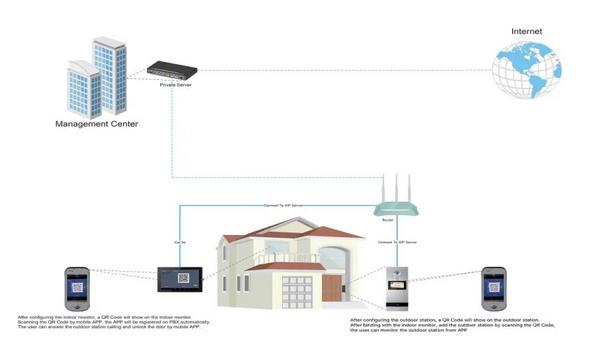
IP intercom devices are making it easier to control access to homes, schools, offices, buildings, hotels, etc. The IP intercom systems can use a local intercom server or remote cloud server to provide communication between intercom devices and smartphones. Video door phone solution Recently DNAKE specially launched a video door phone solution based on the private SIP server. The IP intercom system, consisting of an outdoor station and indoor monitor, can connect to a smartphone on the local network or Wi-Fi network. No matter being applied to an apartment or single-family house, this video intercom solution can be an ideal choice. Solution benefits Compared to the cloud server solution, here are some benefits of using this solution: Stable Internet Connection: Unlike cloud server that requires high-speed networks, DNAKE private server can be deployed at the user’s end. If something goes wrong with this private server, only the project connected with the server will be affected. Secure Data: The user can manage the server locally. All user data will be saved in the private server to ensure data security. One-time ChargeThe expense of the server is reasonable. The installer can decide to collect a one-time charge or annual charge from the user, which is more flexible and convenient. Video and Audio Call: It can contact up to 6 smartphones or tablets via voice or video call. User can see, hear, and speak with anyone at the door, and allow their entry via the smartphone or tablet. Easy Operation: Register a SIP account in minutes and add an account on mobile APP via QR code scanning. The smartphone app can notify the user that someone is at the door, display the video, provide two-way audio communication, unlock the door, etc.

The Key To Unlocking K12 School Safety Grants
Download
Honeywell GARD USB Threat Report 2024
Download
Physical Access Control
Download
The 2024 State Of Physical Access Trend Report
Download
The Security Challenges Of Data Centers
Download
DNAKE C112 1-button SIP Video Door Phone
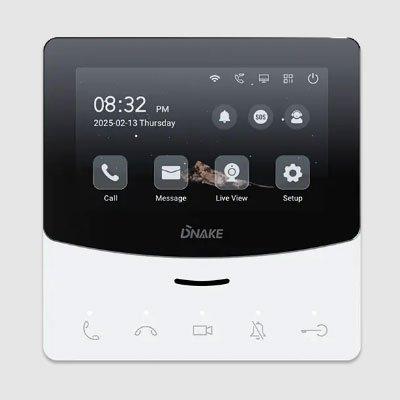
DNAKE E214 4.3” Linux-Based Indoor Monitor
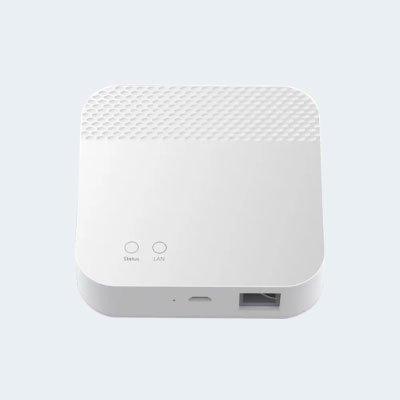
DNAKE HS6GW-TY Smart Gateway